
Education : no26 'Q+A'
The following questions were asked on CGTALK earlier. I (quickly) jotted down some answers. Might be helpful to others as I remember having similar questions before getting in the industry.
1. How much do you get to paint diffuse maps these days on the current generation of games? I really enjoy this aspect of texture creation, but have been wondering if more and more has turned to photography manipulation.
Depends on the studio you work for. I worked on Overlord which was quite nice in that we mostly painted our textures and used photos as a very loose template if at all. Most stuff then is geared towards Photo real. However this isn't a big a deal as you may think, sure some games have textures where the artist just throws in a texture from a database and clone stamps it a bit etc but any decent games studio will make their artists use photos as a template/reference only. I still hand paint extra occlusion, edgewear, stains, dirt etc as well as often having the option to add new elements such as extra trim, hole handle, decoration etc
2. I have noticed that Zbrush is a requirement in many postings for texture artists job descriptions. What responsibilities do texture artist have using ZBrush? I mean what would be most beneficial to learn in Zbrush as someone interested in textures?
Zbrush still isn't essential to texture artists but it is getting that way so having experience with this or mudbox is a huge boost to your CV. At the moment zbrush is only used when having to plan out the layout of your texture without having to worry about matching it up in photoshop. Difficult to explain, a good example of using this is doing the camo patterns on a tank. You draw the outlines or simple solid colours of the patterns on your object in realtime in zbrush and then you can export the map and rerender it to your UV unwrap layout.
3. How much shader creation does a texture artist do? I have noticed that there are few options for creating textures for artists such as render monkey and FX composer. Do you use these tools or others if creating shaders? Could you recomend what would be best to learn to create shaders.
Depends on the engine we're using. If using unreal3 then we are usually expected to be able to create simple shaders. For more tricky shaders we would have tech/lead artists create them for us. You also need to know how to set up basic standard fx shaders in your 3D application so you can test normal/spec maps in your main 3D app.
Overal then it isn't vital to learn the tech aspects of texturing unless you're wanting to be a tech/lead texture. It certainly helps but it is more important to learn how to actually create great texture maps in the first place.

Monday, 31 March 2008

Tuesday, 25 March 2008
Random : no6 'DominanceWar3'
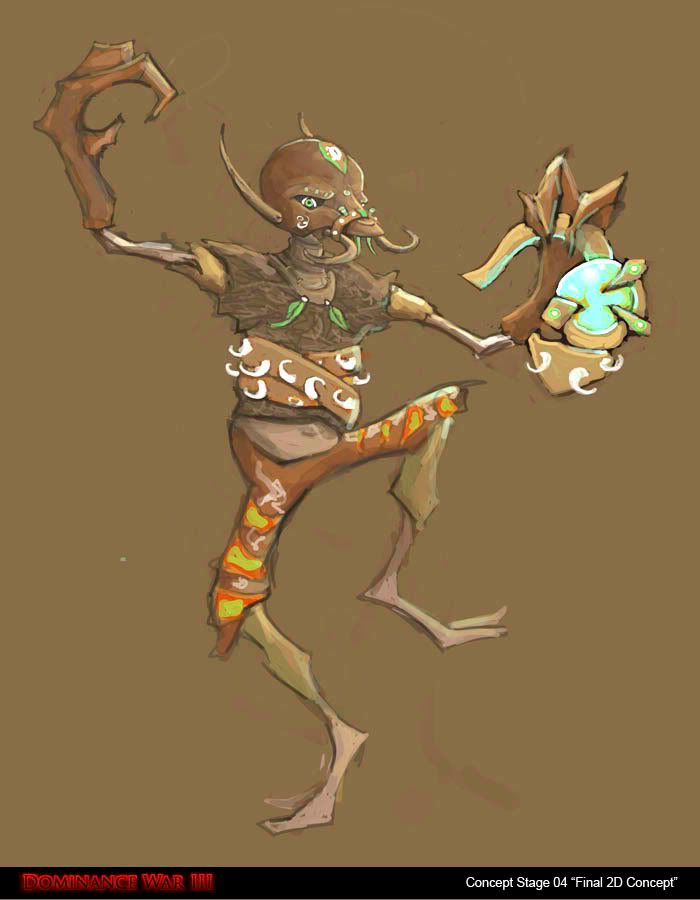
Entered into DominanceWar 3 this year. I'm hoping to at least finish the model but we'll see. Progress thread can be found at,
http://www.gameartisans.org/forums/showthread.php?p=30903&posted=1#post30903

Entered into DominanceWar 3 this year. I'm hoping to at least finish the model but we'll see. Progress thread can be found at,
http://www.gameartisans.org/forums/showthread.php?p=30903&posted=1#post30903
Wednesday, 5 March 2008
Education : no25 'Texture Artist Overview'
Recently wrote an article of sorts for gamedev sessions. It is aimed for people interested into getting into the industry. Explains what an texture artist is and what they do etc.
Here is a link to it, check out the other content on the site too I think it could grow into a rather useful collection of gamedev articles.
http://gamedev.sessions.edu/?p=11
Recently wrote an article of sorts for gamedev sessions. It is aimed for people interested into getting into the industry. Explains what an texture artist is and what they do etc.
Here is a link to it, check out the other content on the site too I think it could grow into a rather useful collection of gamedev articles.
http://gamedev.sessions.edu/?p=11
Monday, 25 February 2008


Thursday, 7 February 2008
Education : no24 'Making maps/trims tile both 50% and 100%'
Often when building levels you need walls/trim etc meshes of various sizes. There could be a full wall and then half a wall as two seperate meshes for example. Now if you make a texture map that can tile it will work with the full wall but not the half wall.
1. Duplicate tiling wall/trim in your psd.
2. Offset 50% horizontal on your new layer
3. Softly erase both ends on this layer so the underlying layer and this layer transitions well.
4. Collapse this layer into the underlying layer to make one layer.
Now this will tile perfectly on both full walls and half walls. You can advance this method and have it so it will also work on quarter walls/trims if needed.
Often when building levels you need walls/trim etc meshes of various sizes. There could be a full wall and then half a wall as two seperate meshes for example. Now if you make a texture map that can tile it will work with the full wall but not the half wall.
1. Duplicate tiling wall/trim in your psd.
2. Offset 50% horizontal on your new layer
3. Softly erase both ends on this layer so the underlying layer and this layer transitions well.
4. Collapse this layer into the underlying layer to make one layer.
Now this will tile perfectly on both full walls and half walls. You can advance this method and have it so it will also work on quarter walls/trims if needed.
Sunday, 3 February 2008
Thursday, 31 January 2008
Education : no22 'Piclens by cooliris'
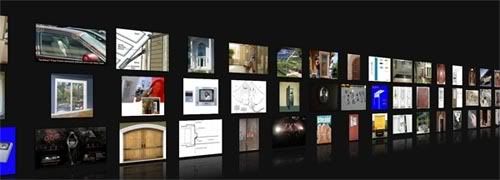
This is quite something. Free tool that you install into your firefox browser. Once installed and you visit google search you'll notice that when rolling over any image a blue arrow appears. Click on it and you will be instantly taken into this virtual dark room where you can easily navigate every image from your search. No loading and no page changes. Once you find a pic you can either printscreen or press a icon that thats you to the page with that image if you wish to 'save image as'.
You can also use this with other popular image sites such as flickr. Just try it because words just don't do it justice.
https://addons.mozilla.org/en-US/firefox/addon/5579

This is quite something. Free tool that you install into your firefox browser. Once installed and you visit google search you'll notice that when rolling over any image a blue arrow appears. Click on it and you will be instantly taken into this virtual dark room where you can easily navigate every image from your search. No loading and no page changes. Once you find a pic you can either printscreen or press a icon that thats you to the page with that image if you wish to 'save image as'.
You can also use this with other popular image sites such as flickr. Just try it because words just don't do it justice.
https://addons.mozilla.org/en-US/firefox/addon/5579
Subscribe to:
Posts (Atom)